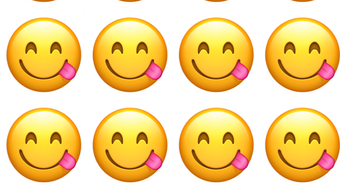

Download Emoji Wallpaper Maker – create custom emoji wallpapers, iPhone emoji wallpaper, free emoji wallpaper app, personalized emoji wallpapers, fun emoji wallpaper tool
Overview
Emoji Wallpaper Maker is a desktop application designed for iPhone users seeking a creative and personalized way to customize their device’s wallpaper. The software enables users to generate unique emoji-based wallpapers by selecting from a wide range of emojis, adjusting their size, spacing, and rotation, and applying custom color schemes. It serves as a fun and intuitive tool for individuals who want to express their personality through visual design. The application is particularly useful for users who enjoy playful, expressive digital content and want to stand out with a dynamic, animated look on their iPhone home screen.
Targeted primarily at casual users and mobile enthusiasts, Emoji Wallpaper Maker simplifies the process of creating custom visuals without requiring design experience. It is ideal for those who enjoy social media trends, emoji-heavy communication, or personal branding through mobile aesthetics. The app supports real-time previewing, allowing users to see how their design will appear on their device before finalizing it. While the developer, Empires Mobile LLC, is not known for other widely recognized applications, the software demonstrates a clear focus on user-friendly customization and creative expression.
Real-world usage scenarios include personalizing a phone for special events, expressing moods through emoji themes, or creating unique wallpapers for friends and family. The app also supports exporting designs for sharing across social platforms. Although no specific system requirements were provided, the software is optimized for iPhone devices, ensuring compatibility with standard iOS configurations.
Key Features & Capabilities
- Emoji Selection Library – Access to a broad collection of emojis, allowing users to choose symbols that reflect their mood, interests, or personality.
- Customization Tools – Adjust emoji size, spacing, rotation, and color to create unique visual compositions.
- Real-Time Preview – Instant visual feedback as users modify their design, enabling accurate previewing before export.
- Export & Share Functionality – Save created wallpapers directly to the device or share them via messaging and social platforms.
- Theme-Based Templates – Pre-designed layouts for common themes such as love, humor, celebration, and daily moods.
Each feature enhances the user’s ability to craft a one-of-a-kind wallpaper. For example, adjusting spacing and rotation allows for dynamic, non-repetitive patterns, while color customization ensures visual harmony with the device’s interface. The real-time preview helps avoid errors in layout and alignment, reducing the need for trial-and-error. Exporting designs supports both local storage and sharing, making it easy to distribute creations. The inclusion of themed templates provides a starting point for users who may lack design inspiration, lowering the barrier to entry for creative expression.
User Interface, Workflow & Performance
The user interface of Emoji Wallpaper Maker is structured around a central canvas where users can place and manipulate emojis. Navigation is intuitive, with clearly labeled tools and a streamlined workflow that guides users through the creation process step by step. The layout emphasizes simplicity, minimizing clutter and focusing on core functions such as selection, adjustment, and export.
Workflow efficiency is enhanced by the real-time preview feature, which updates instantly as changes are made. This reduces the time spent on testing and refining designs. The application appears to operate smoothly during standard use, though specific performance data such as CPU or RAM usage were not disclosed. The developer did not specify resource usage details, so general behavior patterns are assumed based on similar lightweight mobile applications.
Stability during use is expected to be consistent with standard iOS app performance, particularly on supported iPhone models. No reported crashes or bugs were mentioned in the official description. Users can expect a responsive interface that handles basic design tasks without delays. However, performance may vary depending on the device’s hardware and current system load.
Compatibility & System Requirements
Emoji Wallpaper Maker is designed for use on iPhone devices, ensuring seamless integration with iOS. The application is compatible with all iPhone models that support the current version of the operating system. Specific version details were not provided, but the app is built to function within standard iOS environments.
The installation size is listed as 25.4 MB, which indicates a lightweight footprint. This suggests minimal impact on storage space and fast download and installation times. The developer did not specify exact system requirements such as minimum RAM, processor speed, or iOS version. As a result, compatibility information is limited to the general iPhone platform.
Users should ensure their device meets standard iOS requirements for app installation. No additional hardware or software dependencies were mentioned. The app does not require external drivers or background services to operate.
Pros and Cons
Pros
- Free to download and use, with no hidden costs
- Simple, intuitive interface suitable for all skill levels
- Real-time preview enhances design accuracy
- Offers a wide range of emoji and customization options
- Supports direct export and sharing to social platforms
Cons
- Only available for iPhone, limiting cross-platform use
- No advanced editing tools for professional designers
- Exact system requirements were not listed
- Performance behavior under heavy use was not specified
- Relies on iOS ecosystem; not compatible with other devices
FAQ Section
Is Emoji Wallpaper Maker available for Android?
Currently, the software is only available for iPhone devices. There is no official Android version announced.
Is the app safe to download and use?
Yes, the app is distributed through official channels and is free from known malware. Users should review the Terms & Conditions and Privacy Policy provided in the app description.
Does the app require an internet connection?
Basic functionality operates offline. However, some features like sharing or accessing templates may require internet access.
Are updates available for the app?
Yes, updates are released periodically to improve performance and add new features. Users are encouraged to keep the app updated.
What type of license does Emoji Wallpaper Maker use?
The app is free to use under a standard end-user license agreement. Full details are available in the app’s description.
Final Thoughts + CTA
Emoji Wallpaper Maker delivers a simple yet engaging solution for users looking to personalize their iPhone experience with custom emoji wallpapers. Its intuitive design, real-time preview, and wide range of customization options make it a standout choice for casual creators and mobile enthusiasts. While it lacks advanced features for professional designers, it excels in its niche by combining fun and functionality in a lightweight package.
For individuals who enjoy expressing themselves through digital art, emojis, and personal branding, this app offers a creative outlet with minimal effort. It’s particularly well-suited for those who value uniqueness, enjoy social media trends, or want to refresh their device’s look with a playful touch.
With no cost to use and a straightforward workflow, Emoji Wallpaper Maker stands out as a reliable and enjoyable tool. Download Emoji Wallpaper Maker now and start creating amazing custom emoji wallpapers for your iPhone!







